
Service lights & symbols · Campbell, CA
What Sub-Zero Service Lights & Symbols Mean
On a Sub-Zero, a wrench or service icon means the unit wants a scheduled check or has logged a fault, a flashing temperature or snowflake usually flags a section that is out of range, and a red alarm or "emergency" light signals an active problem like a warm compartment, an open door, or a sensor fault. Key and lock icons are simply a control lock. Clear the obvious causes first; if a warning light stays on, book a Campbell Sub-Zero specialist — $89 service call, waived with repair.
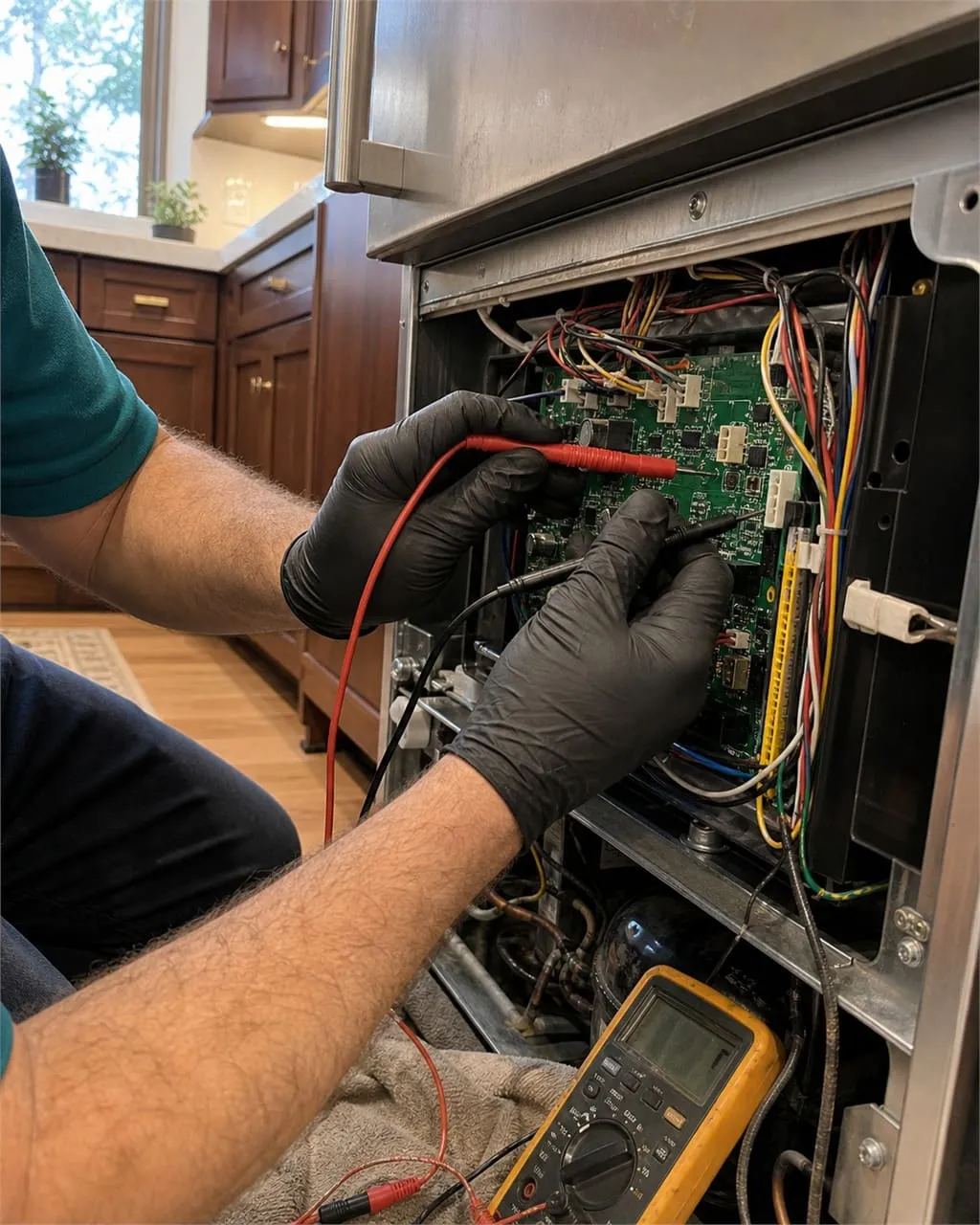
Why your Sub-Zero is showing a light or symbol
Every built-in and integrated Sub-Zero watches its own temperatures, door switches, and sensors, and it talks back through a small set of lights and icons on the control panel. Some are routine reminders — a wrench that means “time for a checkup.” Others are genuine alarms that a compartment has drifted out of range or a part has failed. The trouble is that the panel rarely tells you which part, only that something needs attention.
This page is the plain-English key to Sub-Zero symbols and their meanings: what the wrench, snowflake, flashing temperature, alarm, door-ajar, lock, filter, Sabbath, power-failure, and vacation indicators are telling you, and which ones you can clear yourself versus the ones that need a meter. Throughout, the rule is the same — an indicator is a clue, not a diagnosis.
We are an independent Sub-Zero repair specialist serving Campbell and the wider Santa Clara Valley, so the examples below reflect the units we actually open in Downtown Campbell, San Tomas, the Pruneyard area, and Cambrian-adjacent streets — classic BI-series boxes alongside newer integrated columns.
Quick answers
Sub-Zero lights & symbols: fast answers
The icon questions Campbell homeowners ask us most before they book.
What is the wrench light?
The wrench (or spanner) icon is Sub-Zero’s service indicator. It means the unit has reached a scheduled maintenance interval or has logged a fault in its diagnostic memory. It is a request for a checkup, not proof that the fridge is broken — but it should not be ignored.
What does a red alarm or "emergency" light mean?
A red alarm or flashing emergency-style light means an active problem: a compartment too warm or too cold, a door left open, or a sensor reading out of range. Note exactly what is flashing and book a diagnosis rather than clearing it blindly.
Why is a temperature flashing or showing a snowflake?
A flashing temperature or snowflake usually means that section is out of its target range — often after a long door-open, a power event, or because cooling has genuinely fallen behind. If it does not settle within a few hours, it points to a sealed-system or airflow fault.
Is it safe to keep using the fridge?
A wrench, filter, or lock icon is fine to keep running. A persistent warm-compartment alarm or flashing temperature is not — move perishables and book a visit before food and, on built-ins, the cabinetry are at risk.
Sub-Zero indicator key: every light and what to do
Match the symbol on your panel to its meaning and the right first move. This covers the icons on built-in, integrated, and classic BI-series Sub-Zero units found across Campbell.
| Indicator / symbol | What it means | What to do |
|---|---|---|
| Wrench / service icon | Scheduled-service reminder or a fault logged in diagnostic memory — the unit is asking for a checkup | Read it as a prompt, not a verdict; book a diagnosis so the stored code is read before it escalates |
| Snowflake | Cooling / cold indicator for a compartment; flashing often signals the section is below or outside its set range | If steady, normal; if flashing or paired with frost or warmth, have the airflow and sensors checked |
| Flashing temperature / temp out of range | The compartment has drifted from its setpoint — too warm or too cold for the alarm window | Give it 2–4 hours after a door event; if it will not settle, suspect sealed system, fan, or sensor |
| Alarm / "emergency" light (often red) | An active fault: warm compartment, failed sensor, or a condition the board flags as urgent | Move perishables, note the exact behavior, and book promptly — do not just dismiss it |
| Door ajar | A door or drawer has been open past the alarm delay, or a switch / gasket is not sealing | Close and reseat the door; if it persists with the door shut, the switch or gasket needs attention |
| Key / lock (control lock) | The control panel is locked so buttons cannot be changed by accident or by children | Press and hold the lock pad (per your model) to unlock; this is not a fault |
| Water filter / "FILTER" | The water filter has reached its time or volume limit and should be replaced | Fit a genuine OEM Sub-Zero filter, seat it until it clicks, then reset the indicator |
| Sabbath mode | A deliberate mode that disables lights, alarms, and displays for observance | Exit via the panel sequence for your model; nothing is wrong with the unit |
| Power-failure indicator | The unit lost power and a compartment may have warmed while it was off | Check temperatures and food; clear the alert, then watch that each section recovers to setpoint |
| Vacation mode | An energy-saving mode that relaxes settings while you are away | Turn it off through the control panel to return to normal cooling and ice production |
Exact symbols and button sequences vary by series and model year — the model and serial tag (inside the fresh-food door or on the upper interior) tells us precisely which control logic you have.
Two Sub-Zeros can show the same wrench or alarm for very different reasons. That is why we read the stored codes and test the actual part before quoting. $89 service call, waived when you book the repair, every repair backed by a 365-day labor warranty, and only genuine OEM Sub-Zero parts — so you pay to fix the fault, not to guess at it.
The four warning lights that matter most
When Campbell homeowners search "sub zero emergency lights" or "sub zero icon meanings," these are the indicators behind almost every call.
The wrench / service light
It marks a maintenance interval or a logged fault. On older BI-series units it often appears right as the condenser needs cleaning; on newer boards it can hold a code worth reading before small problems compound.
Red alarm / emergency light
The board has decided a condition is urgent — usually a compartment running warm. This is the one not to dismiss; note what is flashing so the cause can be confirmed quickly.
Flashing temperature
A number that blinks or sits outside its range means the section missed its setpoint. After ruling out a long door-open or power event, it points toward airflow, a fan, a sensor, or the sealed system.
Snowflake & frost cues
The cold indicator is normal when steady. Flashing, or paired with heavy frost or a warm spot, it signals defrost or airflow trouble worth a closer look before it spreads.
When the light is really pointing at cooling or ice
A service light is often a messenger for a problem you can already feel. A flashing freezer temperature or a snowflake that will not settle frequently means the section has genuinely fallen behind — the same fault you would chase on our Sub-Zero not cooling in Campbell guide, where a tired fan, a frosted evaporator, or a sealed-system issue is the real culprit behind the icon.
Likewise, a unit that throws a temperature or service alert and also stopped making ice usually shares one root cause — a warm freezer cannot freeze a harvest. If that is your pattern, read Sub-Zero ice maker not working, because clearing the light without fixing the cooling just delays the next alarm.
The takeaway: decode the symbol, but treat it as the start of the trail. We use factory-spec diagnostics to read the stored code, then verify it against temperatures, airflow, and electrical evidence before any part is named. Regular upkeep also keeps these lights quiet — our Sub-Zero maintenance guide covers the condenser cleaning and filter changes that prevent most nuisance service prompts.
Can you just reset the light?
Sometimes, yes. A frozen display, an alarm still flashing after a power blip, or an ice maker that stalled mid-cycle will often clear with a simple reset — switch the unit off at the panel or breaker for two to five minutes, then back on and let it re-home. Mode and lock icons clear by exiting the mode; a filter light clears once a genuine OEM filter is seated and the indicator is reset; a power-failure light clears once you confirm each compartment is recovering to set point.
What a reset will not do is fix a real fault. If a wrench, warm-compartment alarm, or flashing temperature comes back within days of clearing it, the light is doing its job — pointing at a sensor, fan, defrost, or sealed-system problem that keeps returning. Resetting it again just hides the symptom while the part degrades. Our step-by-step guide to how to reset your Sub-Zero covers the control, the ice maker, and recovery after a Campbell power outage — and flags the line where a reset stops helping and a diagnosis begins.
Before you call: quick things to rule out
A few of these clear a light on the spot. None of them require tools.
- Reseat the doors
A door-ajar or temperature alarm often clears once a drawer or door is fully closed and the gasket reseats. Check nothing is propping it open.
- Replace and reset the filter
A FILTER icon clears after a genuine OEM filter is seated until it clicks and the indicator is reset on the panel.
- Account for a power event
A power-failure light after an outage is expected. Confirm each compartment is returning to setpoint, then clear it.
- Confirm it is not a mode
Sabbath, vacation, and control-lock icons are intentional. Exit the mode through the panel before assuming a fault.
- Give temperatures time
After a long door-open or a fresh load, allow a few hours for a flashing temperature to settle before treating it as a failure.
- Note exactly what is showing
Photograph the panel and write down which icon flashes and when. It makes the on-site diagnosis faster and more accurate.
If a wrench, alarm, or flashing temperature stays on after you reseat the doors, swap the filter, and clear a power event, it is time for a meter. Book online or call (628) 243-4673 for a Campbell Sub-Zero diagnosis — $89 service call, waived when you approve the repair.
Keep using it, or stop and call?
Not every light is an emergency. Once you know which indicator is showing, use this to gauge urgency.
| Indicator behavior | Urgency | What to do |
|---|---|---|
| Steady service / wrench icon, temperatures still normal | Low | Schedule a diagnosis soon — usually a condenser due for cleaning or a sensor |
| Flashing temperature or “warm” alert | Medium | Check the door seal and condenser, then book promptly before food loss |
| Alarm or “emergency” lights with the box warming | High | Move perishables, do not keep power-cycling it, and call for a priority visit |
| Water filter or door-ajar indicator | Low | Reseat the filter or close the door fully — it often clears on its own |
An indicator is a clue, not a diagnosis — the same icon can point to different parts across Sub-Zero series.
Reviews
Campbell light-and-symbol calls, in their words
Independent Sub-Zero repair · Campbell & the Santa Clara Valley
A wrench symbol kept coming back on our built-in and I had no idea what it meant. They read the stored code, found a lazy evaporator fan, and fitted a genuine Sub-Zero part. The $89 service call was waived once I approved the work. Light gone, fridge quiet.
Red alarm and a flashing freezer temperature after a power outage. I assumed the worst, but they traced it to a failing sensor, not the compressor, and explained the 365-day warranty without me asking. Honest diagnosis instead of an upsell.
My panel showed a snowflake and a FILTER icon and I could not clear them. They sorted the filter on the spot with an OEM part, then found the snowflake was a real airflow issue and fixed it the same week. Patient, tidy, and fairly priced.
FAQ
Sub-Zero service light FAQ
What does the wrench light mean on a Sub-Zero refrigerator?
The wrench (or spanner) symbol is Sub-Zero’s service indicator. It means the unit has either reached a scheduled maintenance interval or stored a fault code in its diagnostic memory. It is a request for a checkup rather than proof of a breakdown, but it should be read and cleared by a technician — the stored code often explains a small problem before it grows. On many units the light appears right when the condenser needs cleaning.
What do the symbols and icons on a Sub-Zero mean?
Sub-Zero symbols fall into two groups: reminders and alarms. Reminders include the wrench (service), the FILTER icon, and mode indicators like Sabbath, vacation, and the key/lock control lock. Alarms include a flashing temperature, a snowflake that will not settle, the door-ajar icon, the power-failure indicator, and a red emergency-style alarm. Reminders are safe to keep running; alarms about a warm compartment are not.
What does a red or emergency light mean on a Sub-Zero?
A red or flashing "emergency" light signals an active condition the control board considers urgent — most often a compartment running too warm, but sometimes a failed sensor or a door left open. Move perishables, note exactly what is flashing, and book a diagnosis. Clearing the alert without finding the cause usually just lets it return.
Why is the temperature flashing on my Sub-Zero?
A flashing temperature means that compartment has drifted outside its alarm window, either too warm or too cold. After a long door-open, a heavy fresh load, or a power event it can take a few hours to settle. If the number keeps flashing once the door is shut and time has passed, the cause is usually airflow, a fan, a temperature sensor, or the sealed system.
What does the snowflake symbol mean on a Sub-Zero?
The snowflake is a cooling indicator. Steady, it simply shows the compartment is cold and working. Flashing — or paired with heavy frost or a warm spot — it points to a defrost or airflow problem and is worth a closer look before frost spreads and cooling falls further behind.
How do I clear a Sub-Zero service or power-failure light?
Mode and lock icons clear by exiting the mode or holding the lock pad. A FILTER light clears after a genuine OEM filter is seated and the indicator is reset. A power-failure light clears from the panel once you have confirmed each compartment is returning to setpoint. A wrench or alarm light tied to a logged fault, however, should be read and cleared by a technician so the underlying code is not lost.
Is it safe to keep using my Sub-Zero with a light on?
It depends on the light. A wrench, filter, lock, or vacation icon is fine to keep running while you book a visit. A persistent warm-compartment alarm or a flashing temperature is not — move perishables and arrange a diagnosis promptly, because a warm built-in risks both your food and the surrounding cabinetry.
Does a service light always mean an expensive repair?
No. Many wrench prompts are maintenance reminders that clear after a condenser cleaning or filter change. Others point to a single sensor or fan rather than a major component. We read the stored code and test the actual part before quoting, so the $89 service call — waived when you approve the repair — goes toward a fix you can verify, not a guess.
Do you use genuine Sub-Zero parts when a light points to a failure?
Yes. When a service light traces to a failed sensor, fan, control board, or valve, we fit genuine OEM Sub-Zero parts so the replacement matches your unit’s control logic exactly, and we back the labor for 365 days. Matching parts also keeps the diagnostic indicators accurate afterward.
Keep going
Related Sub-Zero help
Not sure what your Sub-Zero is telling you?
Book a Campbell Sub-Zero specialist to read the code and fix the cause. $89 service call waived with your repair, 365-day labor warranty.
$89 service call, waived when you book the repair. 365-day warranty on all labor. We install genuine OEM Sub-Zero parts.
596 reviews · 4.9 / 5